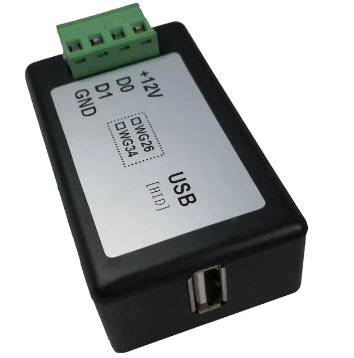
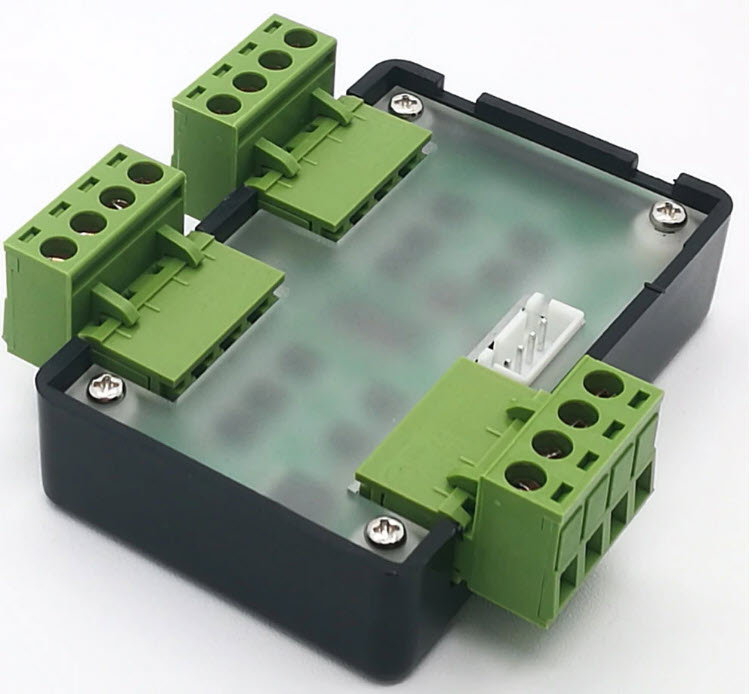
Wiegand Combine
Multi-way Wiegand adapter board basic functions:
Power supply: + 9 ~ 24V, 30mA;
Support WG26 ~ WG80 by default (including WG26 / 32/34/35/36/37/40/42/44/66/80 and keyboard code input);
Swipe interval of each card reader> 150ms;
Both WG signals are output by the same 485 interface (optional);
RS485 communication parameters: 9600, n 8 1;
Wiegand Combine


ข้อมูลเพิ่มเติม
Multi-way Wiegand adapter board basic functions: Power supply: + 9 ~ 24V, 30mA; Support WG26 ~ WG80 by default (including WG26 / 32/34/35/36/37/40/42/44/66/80 and keyboard code input); Swipe interval of each card reader> 150ms; Both WG signals are output by the same 485 interface (optional); RS485 communication parameters: 9600, n 8 1;
❓ คำถามที่พบบ่อย
Q: เลือก Converter ตามอะไร — RS232/RS485/USB/Ethernet/WiFi?
A: RS232 ↔ USB (USB↔RS232): laptop ที่ไม่มี COM port + อุปกรณ์ RS232 เก่า. RS232 ↔ Ethernet (PC-Eth232): RS232 device → network. RS232 ↔ WiFi (USR-WIFI232): wireless serial bridge. Wiegand ↔ TCP/RS485/USB/Combine: Access Control card reader → various interfaces
Q: Wiegand Converter ทำงานยังไง?
A: รับ Wiegand 26-bit (ปกติ) จาก Card Reader/Face/Fingerprint → แปลงเป็น TCP/RS485/USB/Ethernet — ให้ Software access control อ่านข้อมูล Card ID ผ่าน standard interface. รองรับ Wiegand 26-80 bit. DC 9-12V supply
Q: WG↔TCP vs WG↔RS485 vs WG↔USB — เลือกไหน?
A: WG↔TCP (CVT-WG-TCP): ส่ง Card data ผ่าน LAN → Cloud/Server. WG↔RS485 (CVT-WG-RS485): ระยะไกล 1.2km, Multi-device (32 nodes). WG↔USB (CVT-WG-USB): Plug-and-Play with PC keyboard emulation (ASCII output). WG Combine (CVT-WG-CB01): รับ Wiegand 2 ช่อง → output 1 Wiegand (Dual reader at 1 door)
Q: Ethernet to 8CH Input (CVT-ETH-OUT08) ใช้ทำอะไร?
A: รับ Digital Input 8 ช่อง (Sensor, Switch, PIR) → ส่งผ่าน Ethernet TCP/IP. เหมาะ Smart Building/IoT ที่ต้อง monitor sensors หลายตัวผ่าน network. รองรับ Modbus TCP protocol
Q: RS485 vs RS232 — เลือกใช้แบบไหน?
A: RS232: ระยะสั้น 15m, Point-to-Point 1:1, ใช้กับอุปกรณ์เก่า (Lab, POS, Scanner). RS485: ระยะไกล 1.2km, Multi-drop 32 nodes, สำหรับอุตสาหกรรม (Modbus, BMS, PLC). หาก device รุ่นใหม่ — เลือก RS485
Q: ตั้งค่าผ่าน Web หรือ Software?
A: Ethernet Converter (PC-Eth232, CVT-WG-TCP): config ผ่าน Web browser, default IP 192.168.0.7, admin/admin. หรือ Vendor utility (USR-VCOM, SerialConfig) สำหรับ batch config. WiFi Converter (USR-WIFI232): config ผ่าน WPS + Web. USB converter: install driver (CH340, FTDI)
สินค้าที่ใกล้เคียงกัน:

CVT-ETH-RL01:TCP Relay output 4Ch

CVT-ETH<>OUT08:Ethernet to 8CH Input

CVT-WG<>RS485:Wiegand to RS485

CVT-WG<>TCP:Wiegand To TCP