
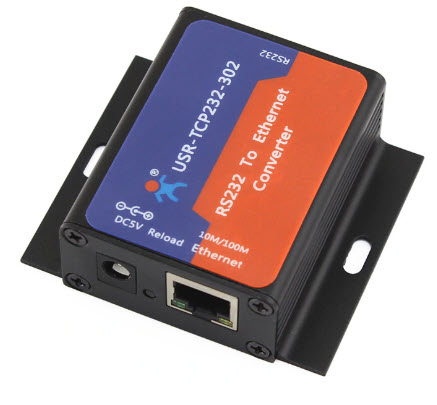
ตัวแปลง RS232<>LAN
-Support DHCP, automatically obtain an IP address and query IP address through serial setting protocol
-Support DNS function
-Set parameters through webpage
-Upgrade firmware via network
-Auto-MDI/MDIX, RJ45 port with 10/100Mbps
-Serial port baud rate from 600 bps to 230.4 Kbps, Check bit of None, Odd, Even, Mark and Space
-Work mode: TCP Server, TCP Client, UDP Client, UDP Server, HTTPD Client
-Support virtual serial port and provide corresponding software USR-VCOM
-Heartbeat package mechanism to ensure connection is reliable, put an end to dead link
-User-defined registration package mechanism, check connection status and use as custom packet header
-Under TCP Server mode, Client number ranges from 1 to 16; default number is 4
-The global unique MAC address bought from IEEE, user can define MAC address
-Restore factory default
-Across the gateway, switches, routers
-Can work in LAN, also can work in the Internet (external network)
-Provide PC TCP/IP socket programming example such as VB,C++,Delphi,Android and IOS
RS232 to LAN Converter — USR-TCP232
✅ จุดเด่น
- RS232 to TCP/IP
- Plug & play
- Brand USR
- ราคาประหยัด
📋 สเปก
| Brand | USR |
| Network | Gigabit / 100M |
| Serial | RS232 |
| Mode | Server/Client |
❓ คำถามที่พบบ่อย
Q: RS232 vs RS485 — เลือกแบบไหน?
A: RS232: ระยะสั้น 15m, Point-to-Point 1:1, อุปกรณ์เก่า (POS, Old printer, Lab equipment). RS485: ระยะไกล 1.2km, Multi-drop 32 nodes, อุปกรณ์อุตสาหกรรม (PLC, Modbus, Energy meter, BMS). หาก device ใหม่ — เลือก RS485 (-304)
Q: ใช้กับ device อะไร?
A: RS232 (TCP232): POS terminal, Scale, Lab analyzer, Old printer, RFID reader. RS485 (TCP232-304): Modbus PLC, Energy meter, HVAC controller, Solar inverter, Industrial sensor, BMS gateway. มี Library สำหรับ Python/Node-RED/HomeAssistant
Q: รองรับ TCP Server/Client/UDP กี่ session?
A: TCP Server mode: รับ connect ได้ 16 client พร้อมกัน. TCP Client mode: 1 connection ออกไป Server (cloud, MQTT broker). UDP Server/Client: unlimited datagram. Virtual COM: 1 Virtual COM port บน PC = like physical COM
Q: ตั้งค่าผ่าน Web หรือ Software?
A: ตั้งค่าได้ทั้ง Web (HTTP) ผ่าน Browser IP เริ่มต้น 192.168.0.7, Login admin/admin. หรือ USR-VCOM Software (Windows) — easier สำหรับ batch config หลายตัว. รองรับ DHCP auto-config ในเครือข่ายที่มี DHCP server
Q: Baud rate สูงสุดเท่าไหร่?
A: 600 bps ถึง 230.4 Kbps — รองรับ Standard rates (9600, 19200, 38400, 57600, 115200) + non-standard. RS485 multi-drop 32 nodes — แนะนำ baud 9600-19200 เพื่อ stability ระยะไกล
Q: ใช้ Virtual COM ได้มั้ย?
A: ได้ — Install USR-VCOM driver บน PC Windows, สร้าง Virtual COM (COM10, COM11, ...) ที่ map กับ device จริง. App เก่าที่เขียนเป็น COM port direct จะใช้งานได้โดยไม่ต้องแก้โค้ด. รองรับ Windows 7/10/11


